BFS Support Hub
Consolidating fragmented "Get Help" pages into a unified support hub for UC San Diego's Business and Financial Services department that improved user experience, reduced content duplication, and streamlined maintenance.
01
Fragmented support experiences
UC San Diego's Business and Financial Services department had multiple "Get Help" pages scattered across finance, billing, equipment management, and other tools within the Blink platform. This fragmentation created confusion for users trying to find support and led to significant maintenance challenges for content authors.

Four separate "Get Help" pages across Accounting, Billing, Finance Administration, and Equipment Management, each inconsistent in layout and content.
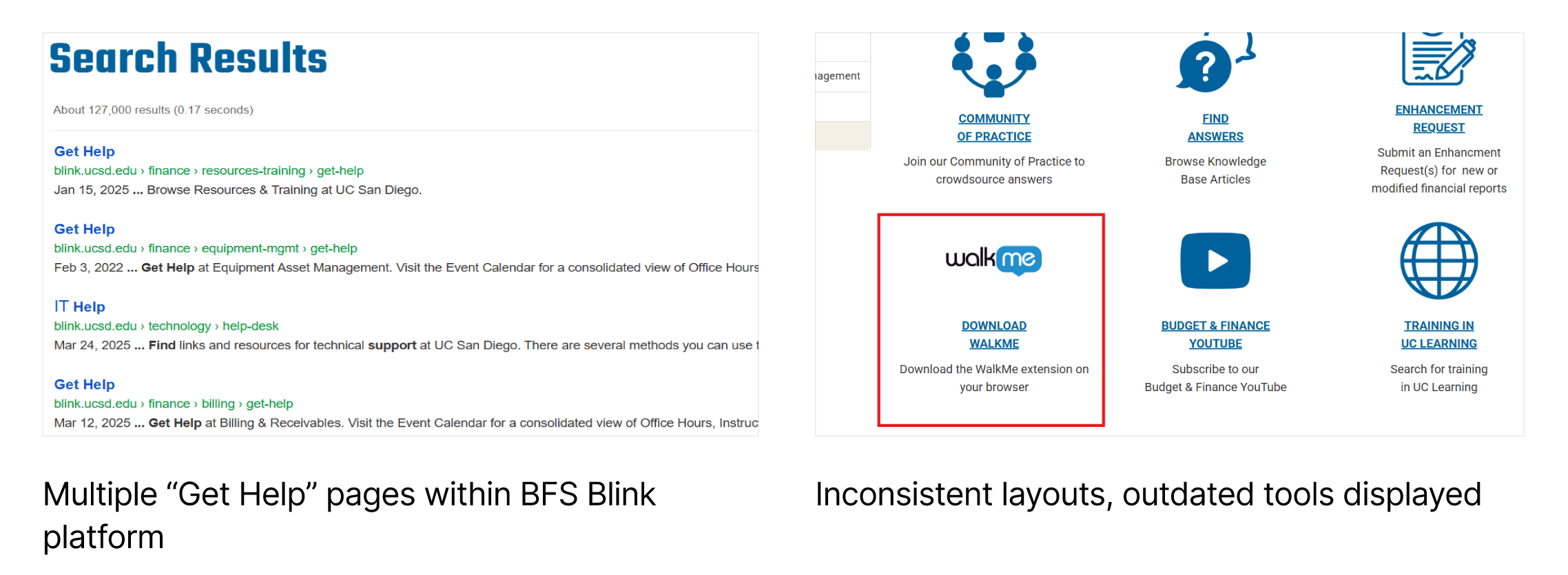
Left: multiple "Get Help" results surfacing in Blink search. Right: inconsistent layouts with outdated tools like WalkMe still displayed.
Multiple inconsistent pages
Different teams and tools maintained separate "Get Help" pages with varying layouts and outdated information.
No clear central resource
Users couldn't identify which was the official support hub, landing on different pages depending on context.
Duplicated content
Authors copied and pasted content across multiple pages rather than linking to a single source of truth.
Maintenance difficulties
Updates required changing multiple pages, leading to inconsistencies and outdated information.
02
Design a unified support experience
Create a centralized "Get Help" resource that consolidates essential support information into one accessible location, establishes clear content ownership, and provides a consistent user experience across all Business and Financial Services tools on the Blink platform.
Design Goals
Consolidate
Establish one definitive "Get Help" page that all users and content authors can reference.
Consistent Navigation
Create clear recognition of the official support hub regardless of user entry point.
Reduce Duplication
Guide authors to link to the hub rather than duplicate content across multiple pages.
Improve Maintainability
Streamline content updates and ensure information stays current and accurate.
03
Creating a centralized hub
I led a comprehensive consolidation effort that involved content auditing, author alignment, and the design and implementation of a universal "Get Help" page with clear navigation and embedded resources.
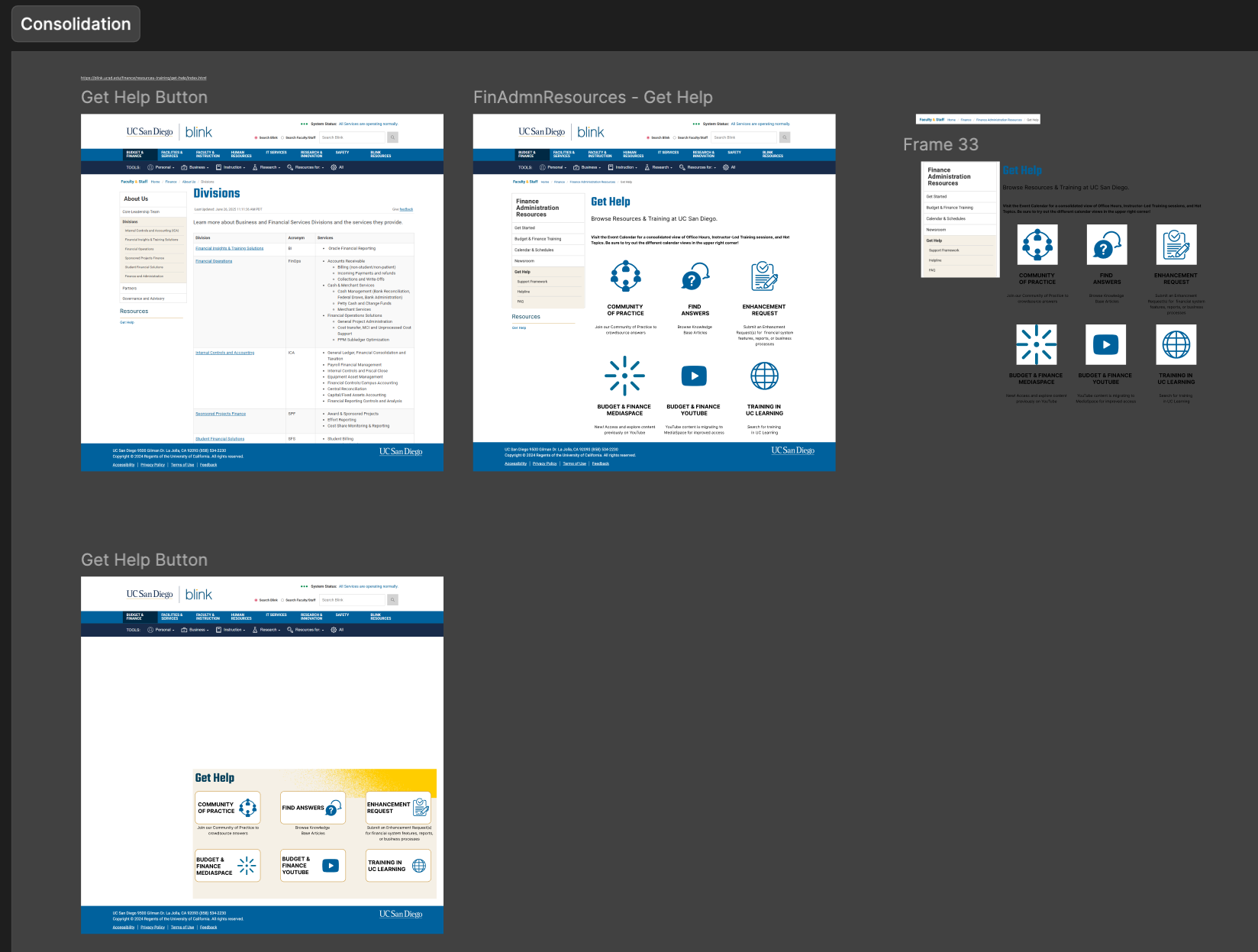
Figma canvas mapping all existing Get Help pages and consolidation variants during the discovery and audit phase.
Discovery & Audit
Identified all existing pages
Conducted a comprehensive audit across finance, IT, billing, equipment management, and other divisions to map all existing help resources.
Analyzed overlapping content
Reviewed each page to identify redundancies, inconsistencies, and gaps in support information.
Interviewed stakeholders
Spoke with content authors and division leads to understand their needs and pain points with the current system.
Design & Structure
Unified information architecture
Designed a clear content structure that integrated financial, IT, and other service support into logical, easy-to-navigate sections.
Consistent, familiar layout
Established a standardized template with clear visual hierarchy and embedded live links to relevant platform resources.
Universal "Get Help" button
Created a centralized entry point that appears consistently across all Blink tools and contexts.
Coordination & Launch
Aligned with leadership
Coordinated with department managers and subject matter experts to establish content ownership and update protocols.
Developed author guidelines
Created documentation guiding content authors to link to the hub rather than duplicate information.
Launched communication campaign
Informed staff, faculty, and students about the new centralized support hub through targeted outreach.
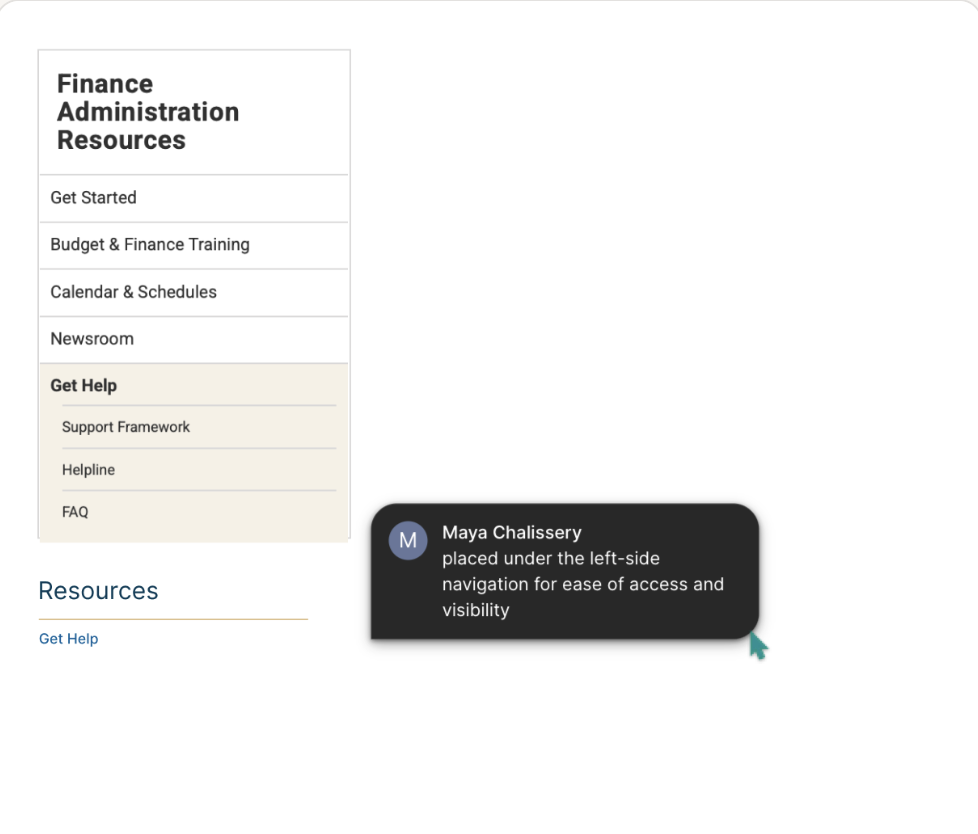
Get Help placed under the left-side navigation for ease of access and visibility.
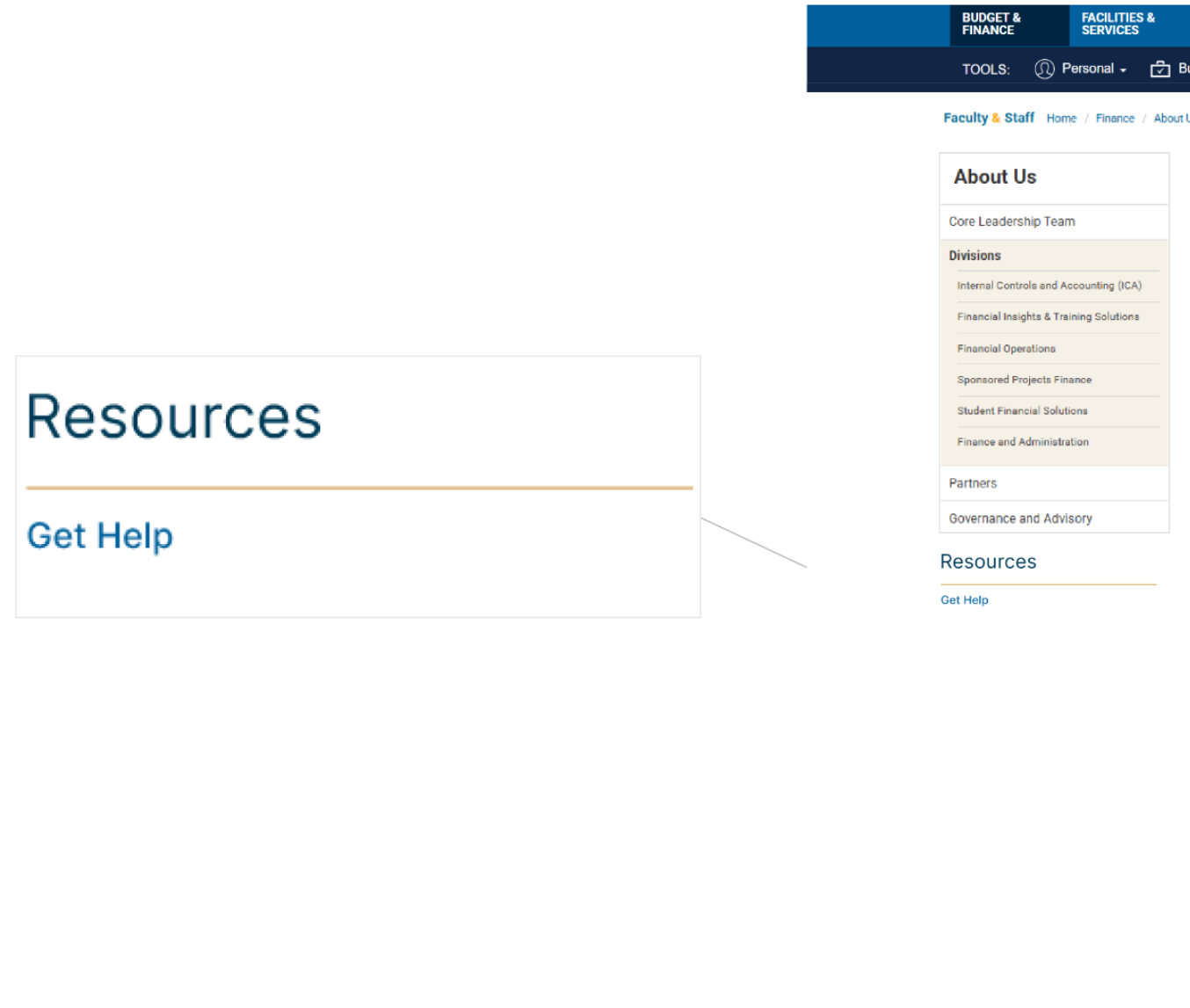
Get Help surfaced consistently in the Resources section across Blink division pages.
04
Simplified, unified support
The consolidation created a clear, consistent support journey that reduced user confusion, minimized content duplication, and streamlined maintenance workflows across all Business and Financial Services tools.
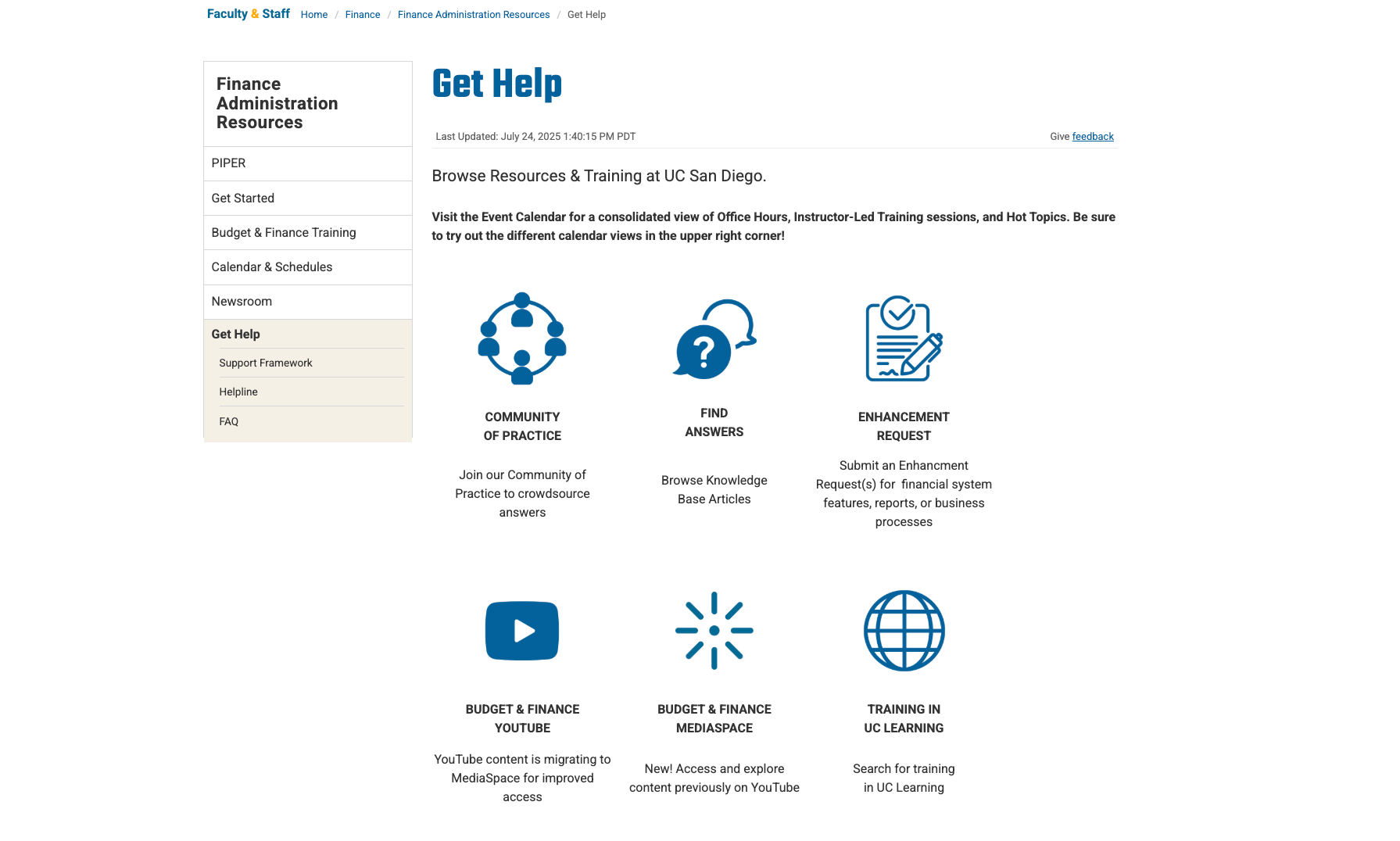
The final unified "Get Help" page: a single, consistent resource hub replacing all fragmented pages across BFS tools.
Improved User Experience
Faculty, staff, and students now have a single, recognizable place to find all support resources, reducing frustration and search time.
Reduced Content Duplication
Authors now link to the central hub instead of copying content, ensuring consistency and reducing maintenance overhead.
Consistent Platform Experience
Standardized layout and navigation across all BFS tools created a cohesive, professional support experience.
Streamlined Maintenance
Updates can now be made in one place, ensuring support information stays accurate and up-to-date.
My key takeaways.
In large institutional platforms, centralization of help content does more than tidy things up. It measurably reduces user frustration and improves information accuracy, since people stop guessing which version of a page is the current one.
None of that happens without cross-team collaboration. Success here required alignment across multiple divisions, governance bodies, and stakeholder groups; without that buy-in, a consolidated hub is just one more page competing with the ones it was meant to replace.
Clear content ownership is what makes the difference stick. Establishing who owns and maintains each section prevented redundancy from creeping back in and gave the team something to hold each other accountable to after I was no longer the one running it.
See this project live →